
HMRC recently published Revenue and Customs Brief 5 (2026), introducing a temporary reduced rate of VAT (5%) for children’s meals, tickets, and family attractions to support operators over the summer holidays. This temporary rate runs from 25 June to 1 September 2026 inclusive.
As a Monad user, here is what you need to know about how the system handles this change, including some great new functionality we’ve built specifically to support target concessions. Version 2.113.1.0 onwards includes this new functionality, updates are ready, and we will begin the rollout this week. If you would like the functionality sooner, please get in touch with the Support team – support@monadticketing.com.
Important Note on Advance Sales
Before diving into system configuration, it is highly important to note HMRC’s guidance regarding sales made ahead of time: The 5% reduced rate of VAT applies to all admission dates between 25 June and 1 September 2026, regardless of when the ticket was actually sold.
This means if a customer buys a ticket today for a visit taking place in July, it qualifies for the 5% rate. You will want to update your Performance and Product setup as soon as possible to ensure advance bookings are taxed correctly.
Passing Savings onto Your Customers
Prices detailed in the product setup are inclusive of VAT, so if your goal is to pass these VAT savings directly onto your customers via lower ticket prices, then you will need to adjust your pricing structures for the summer window. To ensure your current pricing remains completely unaffected for performances running before 25 June and after 1 September, we recommend duplicating your existing setup:
- If you are ONLY updating child and family ticket prices, the easiest approach is to copy your existing Discount Scheme and adjust the specific concession prices within the new copy. You can then assign this temporary summer discount scheme directly to the relevant summer performances.
- If you are adjusting adult ticket prices as well, remember to copy your existing Price Scheme alongside your Discount Scheme so you can adjust the standard adult ticket base price too.
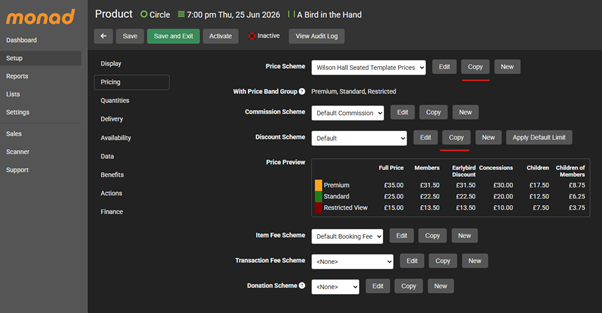
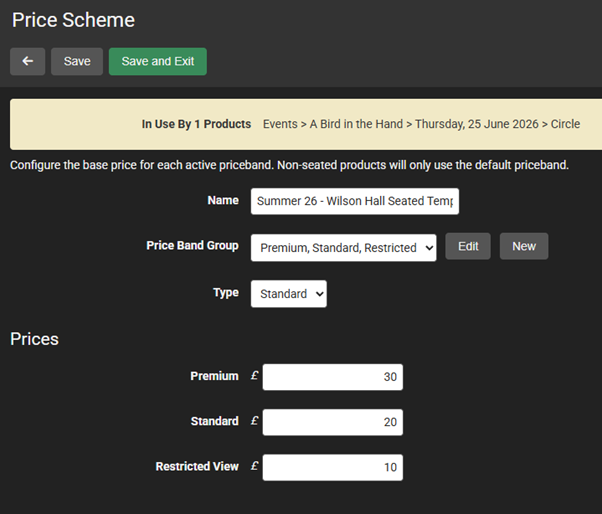
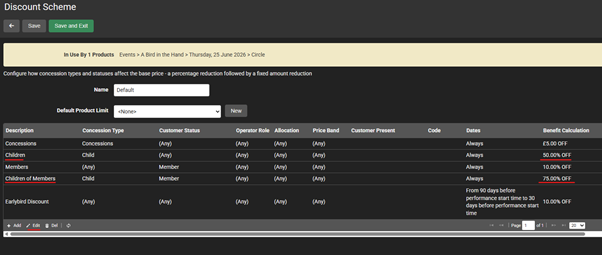
By copying these schemes rather than editing your live ones, you can seamlessly isolate the summer price drops without accidentally altering your Spring or Autumn performance rates.
For Attractions, Soft Play, Museums, and Heritage Sites
If you run an eligible attraction where ALL tickets for entry qualify for the reduced VAT rate, the functionality you need already exists in Monad.
Because the tax rule applies across the board to the entire event or venue entry, you can manage this at the product and performance level.
Check the setup of your Reduced Tax Rate
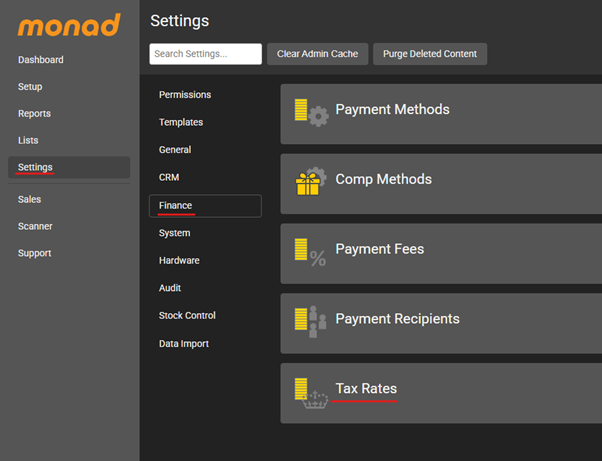
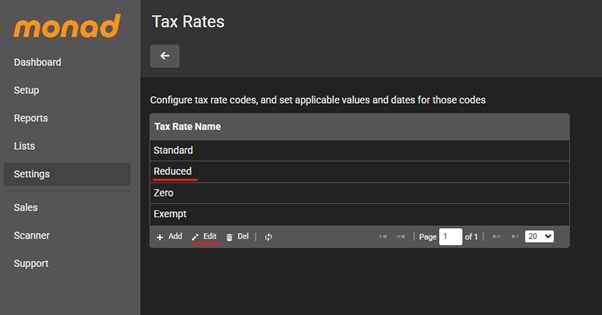
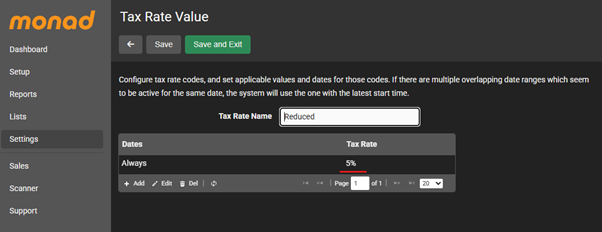
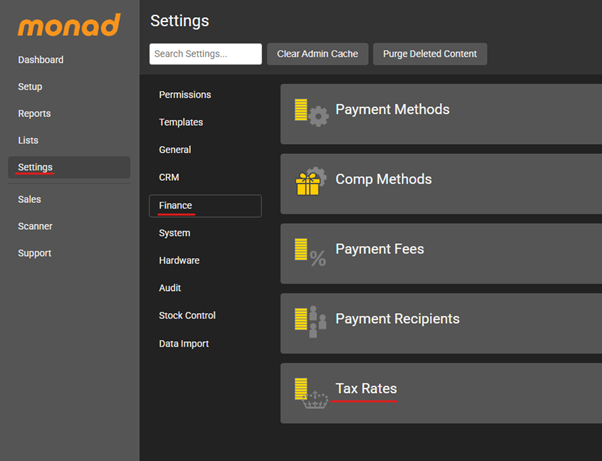
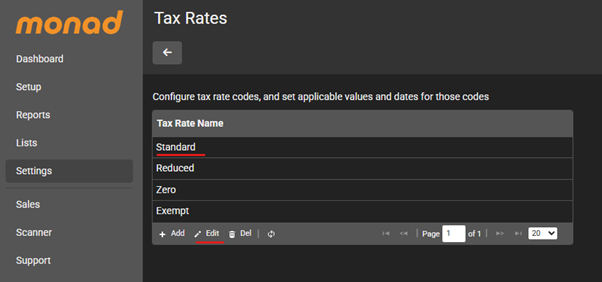
In the Admin Application, navigate to Tax Rates – Settings > Finance > Tax Rates, the Reduced rate should already be set at 5%.
Set this rate on relevant products
- Navigate to the first product that you want to change
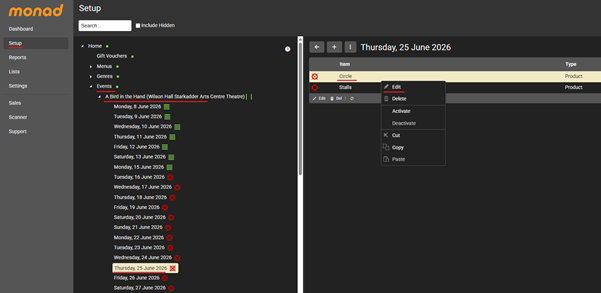
2. Update or assign the “Reduced” rate on the product’s Finance tab:
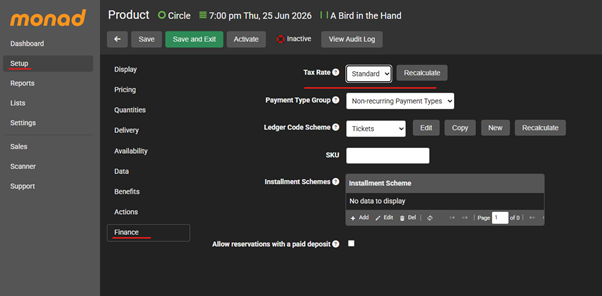
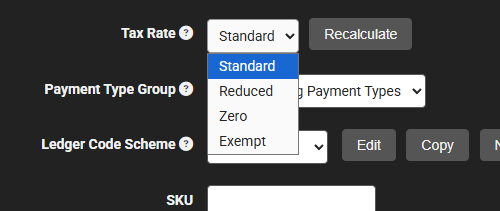
Important Note on Product Status
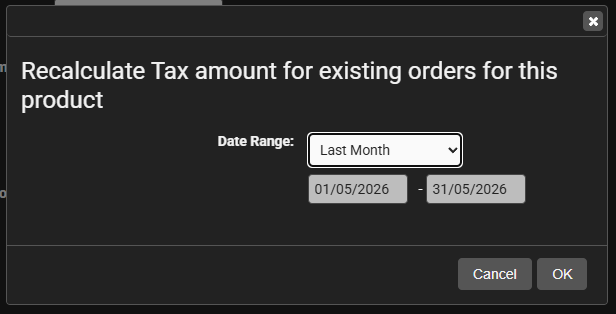
The product needs to be inactive before you can update this field. If the ticket has been on sale and you need to adjust orders that have already been processed, you can use the Recalculate button to select a date range and update them:
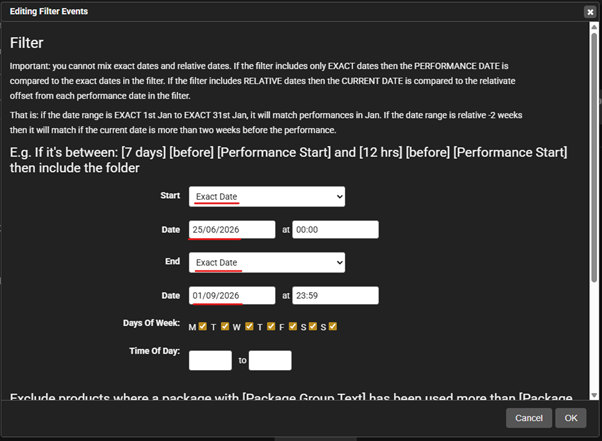
You can manually update each product or use the Update Performance Run tool to update them in bulk, using the one product that you’ve already changed as a template. You may want to consider building a Folder Selection to group the relevant performances together. The Set Filter tool allows you to select a performance range.
Create a Folder Selection
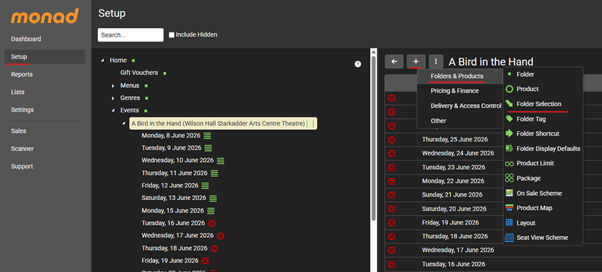
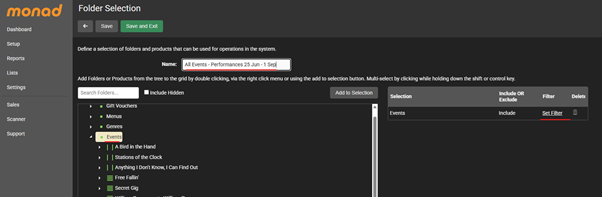
Update a Performance Run
Using the performance that you’ve already updated (note in the example below, there are two products representing different sections of the house. You should follow the steps above before using the tool if relevant.
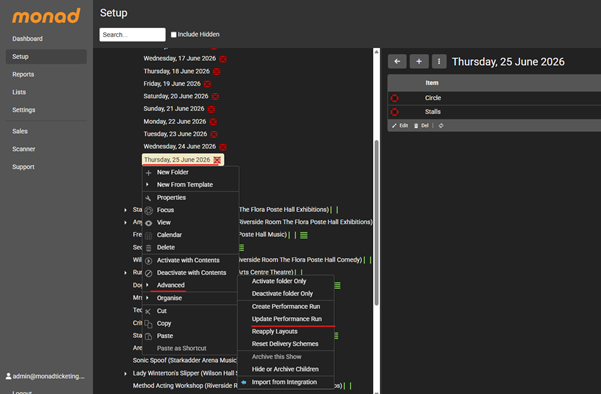
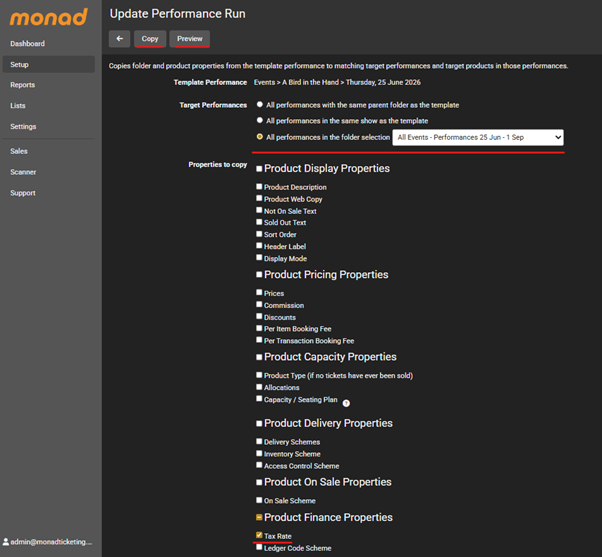
The Preview button will clarify which products are going to be updated, while the Copy button will run the process for you.
Important Note on Processed Orders
Remember to Recalculate the tax rate for existing orders if your products have previously been on sale.
For Children’s Theatre, Cinema, and Live Events (New Functionality)
For multi-use venues, theatres, and cinemas, things are a little more nuanced. HMRC’s brief states that the reduced 5% rate applies specifically to child and family tickets, while standard adult tickets for the same performance must remain at the standard 20% VAT rate.
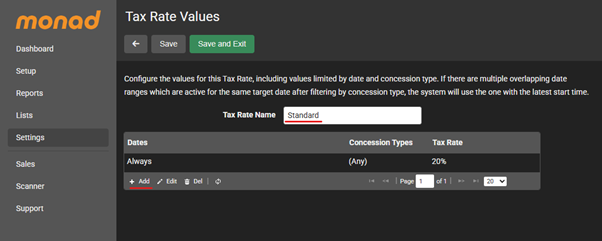
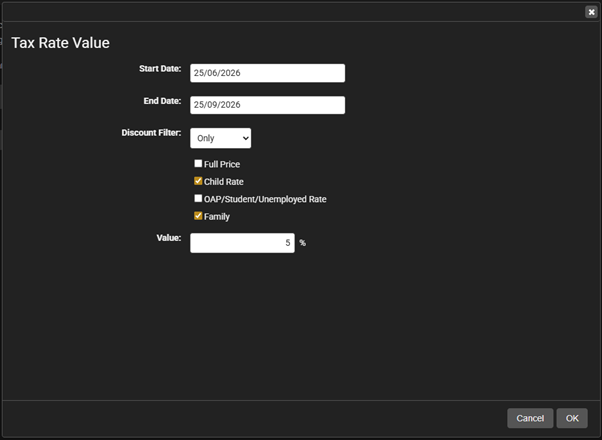
To make managing this effortless, we have built brand-new tax configuration functionality in response to the HMRC update. You can now apply specific tax rate overrides directly to individual Concession Types within the Standard single tax rate rule.
As you can see below, you can now configure your Tax Rate Values to target specific ticket brackets:
- You can leave your standard rule active for (Any) concession type at 20%.
- You can add a targeted, date-bound rule (from 25/06/2026 to 01/09/2026) that specifically reduces the tax rate to 5% only when the Child Rate or a Family concession type are selected.
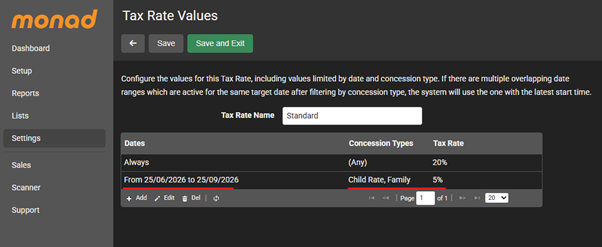
This ensures that when a customer orders a mix of adult and child tickets for a summer show, Monad automatically splits and calculates the correct VAT percentages instantly at checkout and in your financial reporting.
Important Note on Tax Rate Values
The standard “Always” rule here can remain set to include Any concession type. The logic will first check basket items for any that match concession type or date ranges, before applying the fallback line for all other items.
Order details and Reporting
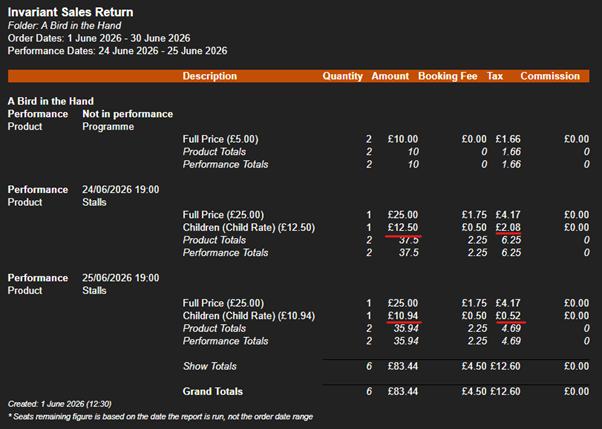
We’ve processed an order showing the difference between a performance on 24 June and one on 25 June, with a reduction in child ticket prices and VAT rate.
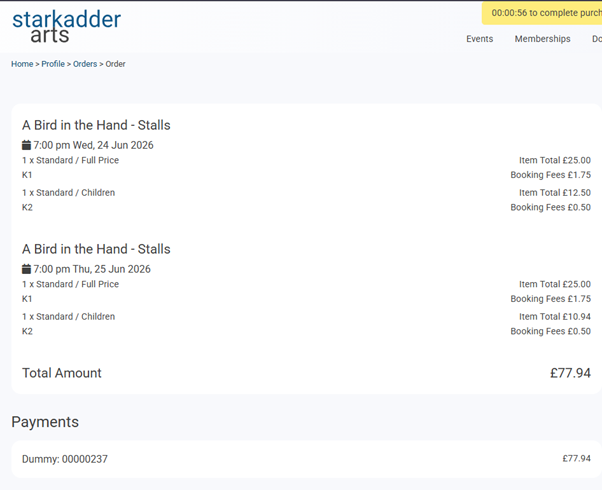
You can see that from a Sales application perspective, as you’d expect, the changes are minimal, to ensure that customers aren’t confused by the process.
However, you’ll find that when using Monad Reports, the distinction is here. The example below shows these two performances in the Invariant Sales Return:
Need assistance?
We want to ensure your summer transitions run as smoothly as possible. If you need a hand setting up your new temporary tax rates or exploring the new concession-based tax overrides, please get in touch with the Support Team – support@monadticketing.com, and we’ll be happy to help!