
Continuing our work with our customers to ensure that the system reflects how users use the system, we have reviewed the ‘Other’ tab found in the product set-up. We found that the tools could fit into other tabs and we hope that by re-categorising them in this way, users feel that they can see all the relevant settings for each aspect in the set up.
Starting with version 2.81.6.0, we hope that the new organisation and layout makes navigating the system quicker and easier, however, we’ve created a cheat sheet below as well as a comparison to help your transition.
It may take a little getting used to, however we believe that by removing the ‘Other’ tab and redistributing the tools and settings found in this folder into the remaining areas will make product set up even easier. As always, we’d love to hear your feedback. Please do email support@monadticketing.com if you have any thoughts you’d like to share.
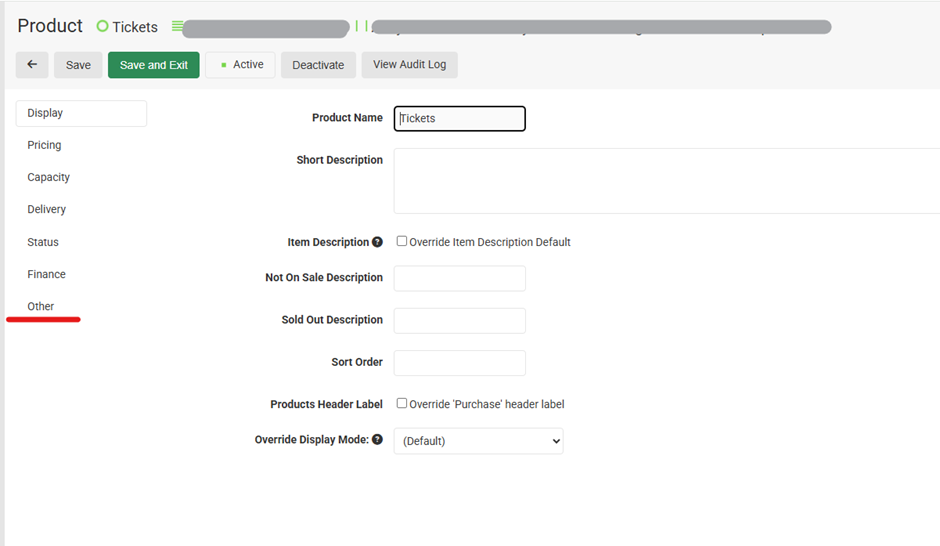
The Other tab originally included information such as the URL for the ticket, User Forms, and other settings that we felt were better suited to the preexisting tabs, as well as justified the creation of a new tab: ‘Benefits’.
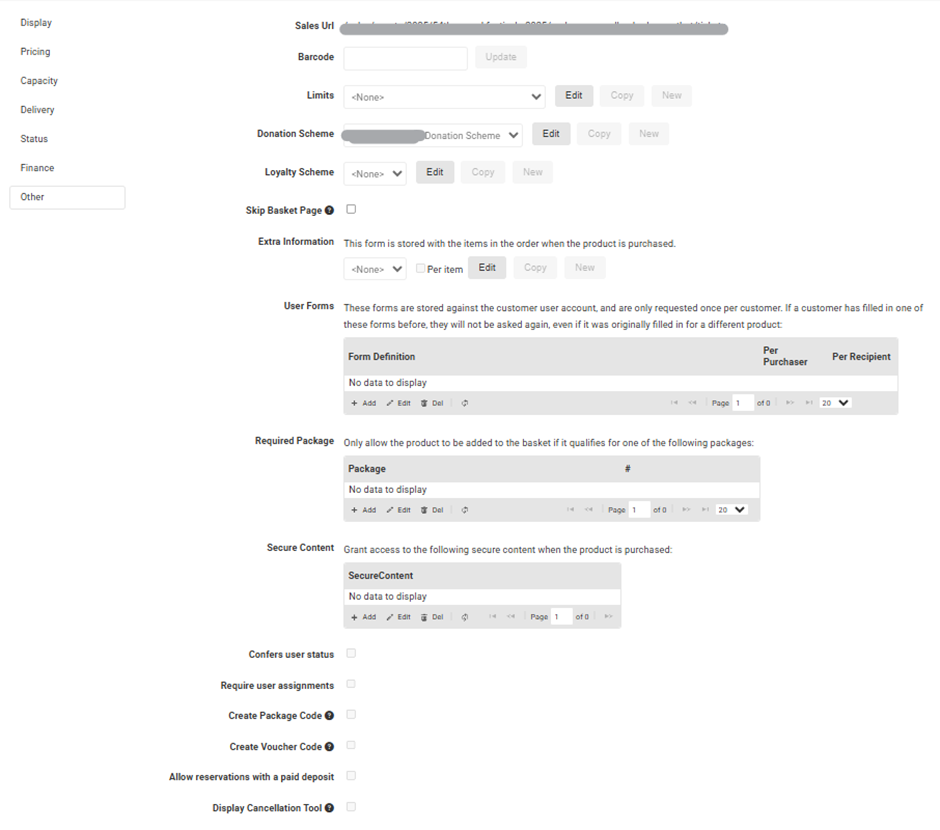
By comparison, the update will remove the Other tab and redistribute the settings into the relevant tab which should make the setup process easier for users as you will find all settings together in each category.
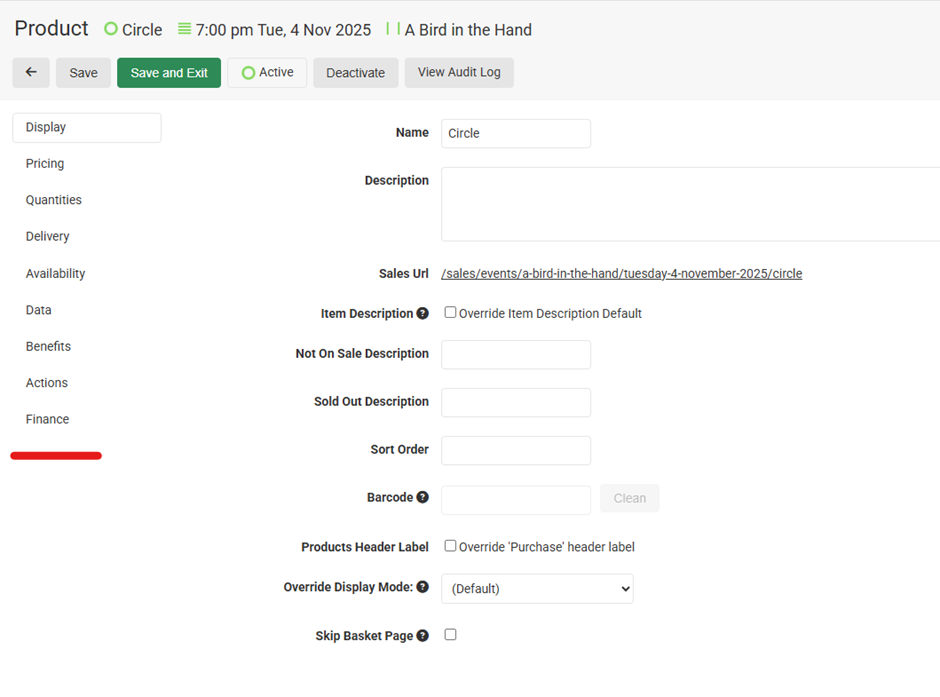
We’ll go through where you can now find each setting from the Other tab in the new update.
Where to Find a Setting or Tool
| Setting or Tool | Tab Location |
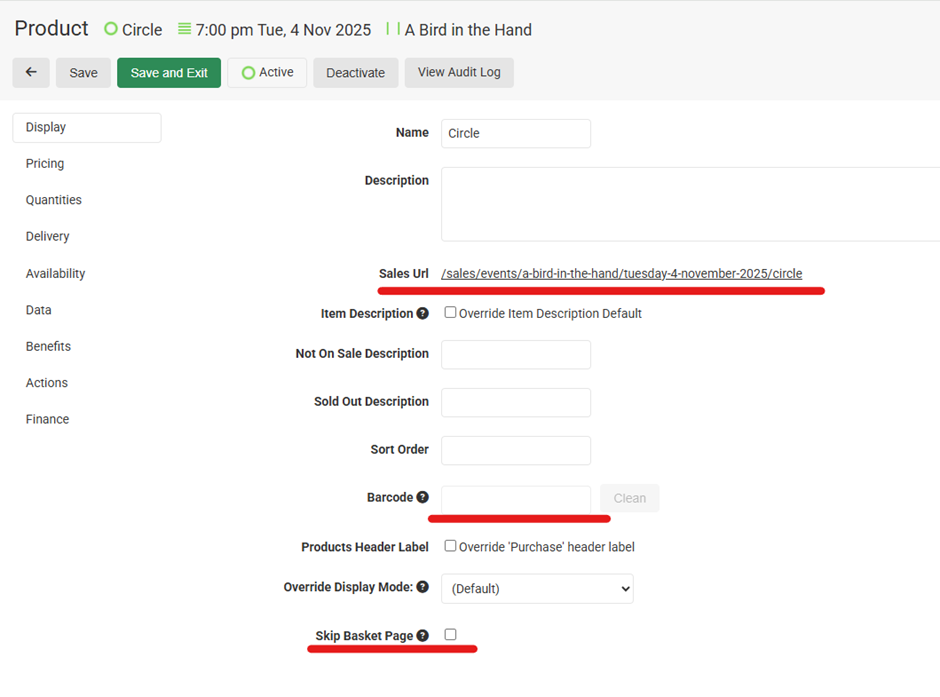
| Sales URL | Display |
| Barcode | Display |
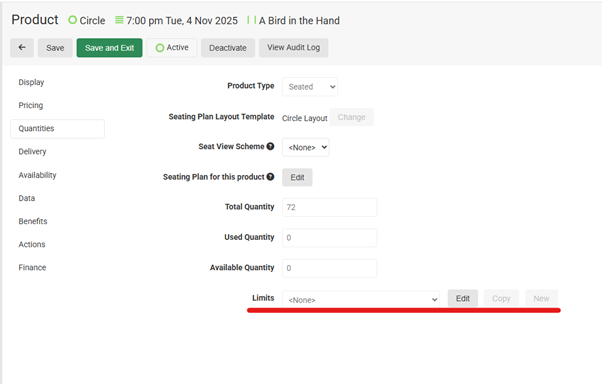
| Limits | Quanitites |
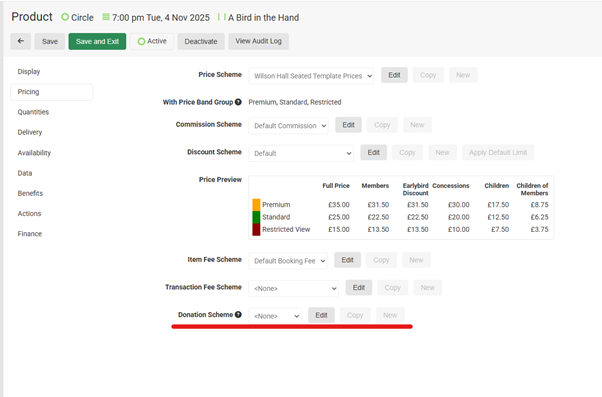
| Donation Scheme | Pricing |
| Loyalty Scheme | Benefits |
| Skip Basket Page | Display |
| Extra Information / Per Item Form | Data |
| User Forms / Per User Forms | Data |
| Required Package | Availability |
| Secure Content | Benefits |
| Confers user status | Benefits |
| Require user assignments | Data |
| Create Package Code | Benefits |
| Create Voucher Code | Benefits |
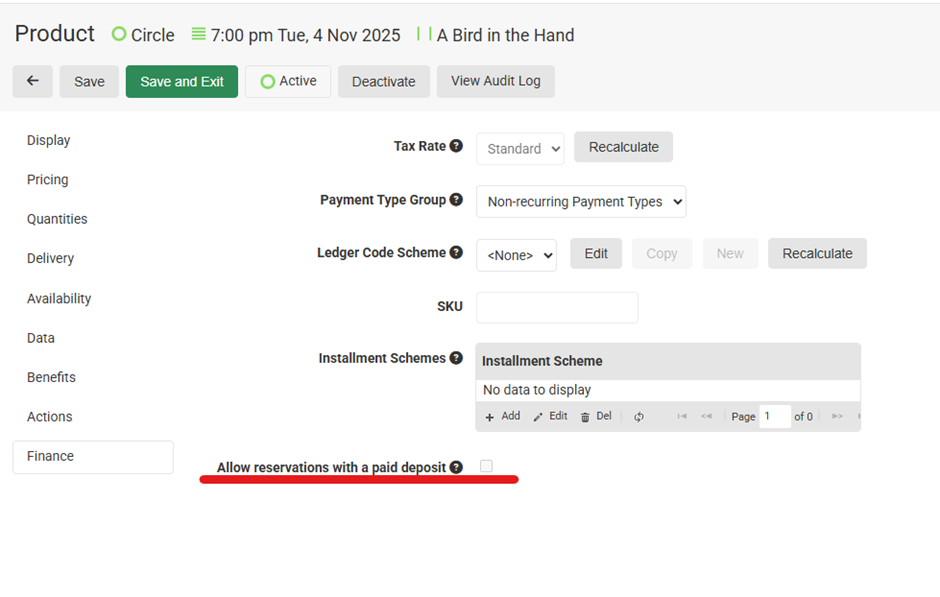
| Allow reservations with a paid deposit | Finance |
| Display Cancellation Tool | Actions |
Display
The Sales URL, Barcode, and Skip Basket Page option were originally found on the Other page, as seen here:
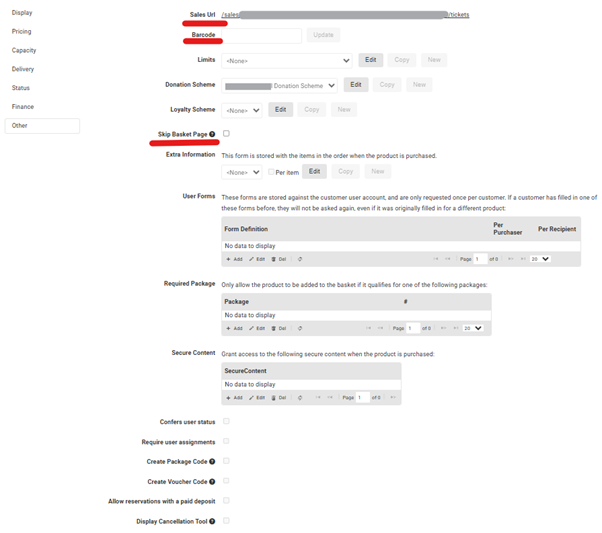
These settings can now be found on the Display Tab:
Pricing and Quantities
The below settings can now be found on the Pricing tab and the Quantities tab
The Donation Scheme can now be found here in the Pricing Tab
And Limits can now be set in the Quantities Tab
Availability
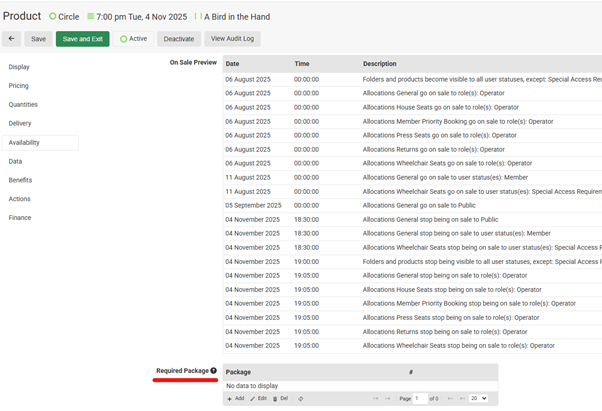
The Required Package tool was located here on the Other Tab
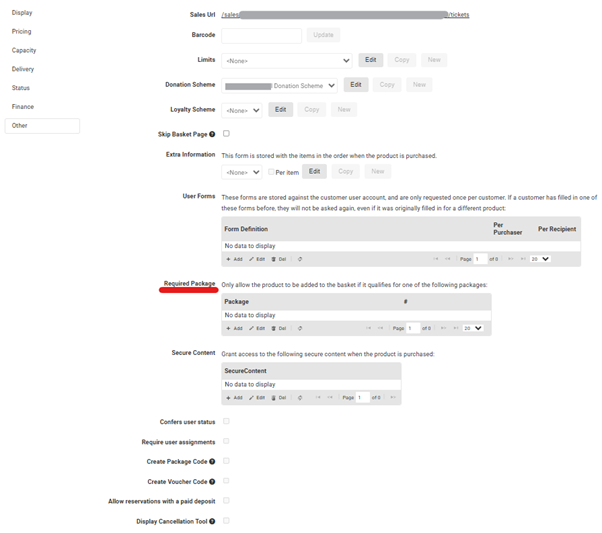
The Required Package Tool can now be found under the Availability tab, scrolling down to the bottom of the page.
Data
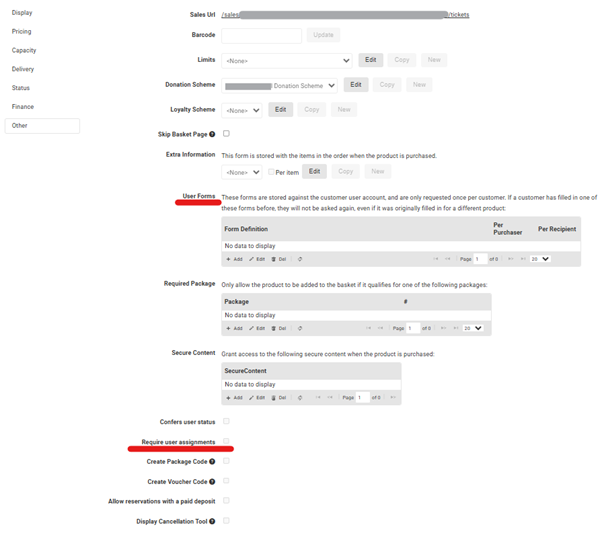
Under Data you will find the User Forms and be able to toggle on and off the Require User Assignment setting. They were originally located here:
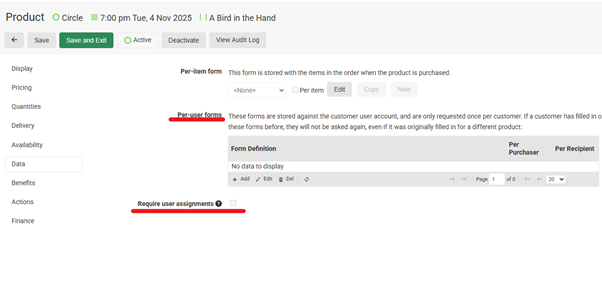
And can now be found under the Data Tab. For consistency, the Extra Information setting has been renamed Per-Item form.
Benefits Tab
This is a new addition to the product setup. Our new Benefits Tab brings together the below settings and content. They were originally located here:
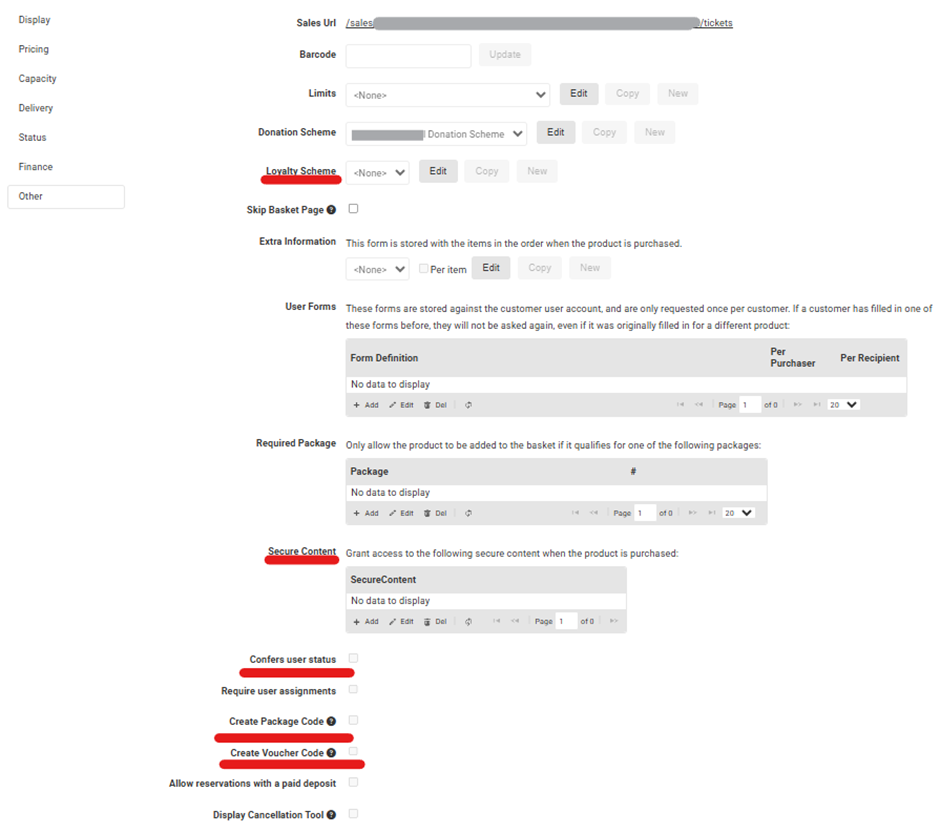
They can now be found together under the Benefits tab.
Finance
The final tab, Finance now includes the option to allow reservations with a deposit, which was originally found here on the Other tab:
This is now found in the Finance Tab.
Actions
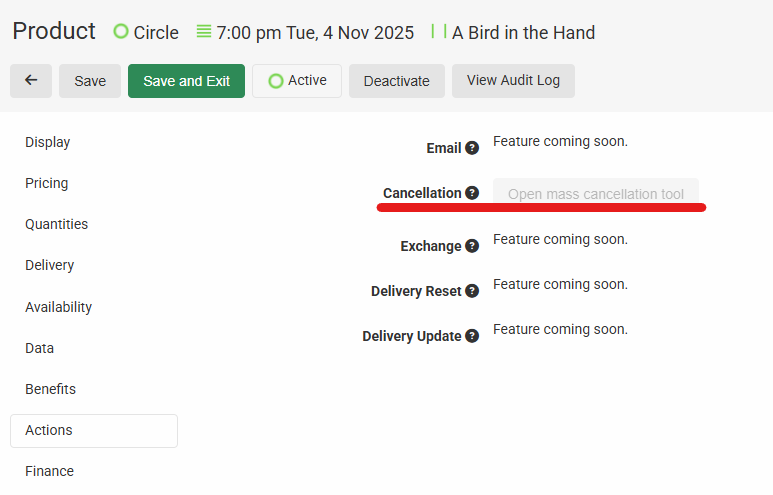
The mass cancellation tool has been renamed to ‘Cancellation’ and can now be found under the Actions tab.
Plus, Coming Soon
In the coming months, future updates will bring the ability to quickly email all bookers quick updates – think quick venue change or important weather warnings. We’re also testing the ability to perform bulk exchanges instead of cancellations, plus resetting and updating delivery for purchased tickets.
Big Picture
This update delivers on our ongoing commitment to create the most efficient and customisable ticketing platform for customers and operators. We foresee that this change will improve operator efficiency by bringing all relevant information into one place, reducing the need to navigate between tabs to locate settings.
As always, we’d love to hear your feedback. Please do email support@monadticketing.com if you have any thoughts you’d like to share.